


Handy Safe Desktop - PC companion
Over 35 unique, built-in icons for organization
Customizable forms & 35 pre-designed forms
Courtesy: handango
Symbian Guru released the new software Currencies – mobile currencies converter with real time exchange rates from the Central Bank and your own currencies rates set manually.
Currencies gets real time exchange rates from European Central Bank directly to your mobile. You only have to activate the GPRS connection.There are two types of currencies: the predefined list of most used world currencies and list of your own currencies, which rates you can set manually. You can set the exchange rates of your currency to one of the main currencies and to save it.
There is an auto refresh option available: you can update all the rates instantly by pressing the menu Option – Update rates.
Currency conversion is made easily: you just set the initial and final currency as well as amount. There is unlimited amount of currencies that you may convert with Currencies application. The result you will receive immediately after entering the initial data.
Key Features:
• Real time exchange rates data
• All data overview with one click on your mobile
• Ability to add your own currencies as well as their rates
• Ability to convert unlimited amount of currenciesMore info as well as pdf user manual for
Currencies can be found on http://www.symbianguru.com.
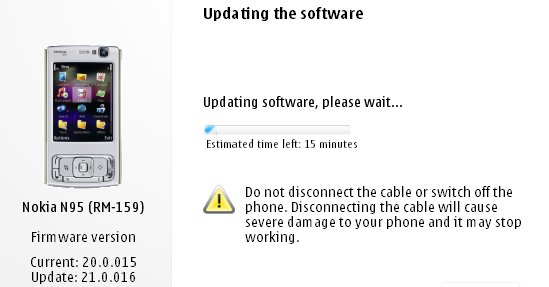
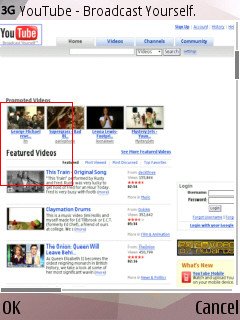 After much waiting it seems Nokia has at last given the Nokia N95 its Flash Lite 3/Web runtime firmware update. Ofcourse we alrady got the utility wares for seeing youtube videos through alternate updates, atleast it's Betterlate than never. It's nowhere near as huge an update as the v20 which introduced demand paging and transformed the performance of the device turning the lowly N95 into as powerfull a machine as the N95 8GB especially with the 16 GB microSD that has since been released. The v21.0.016 is still a major firmware and well worth installing, but i wouldn't recommend it if you are fed up of the Backup&Restore formality.
 What's new for v21.0.016 (over and above v20 firmware):
- Flash Lite 3 is included, so Flash video sites will work, including YouTube (just as on the N95 8GB v15 firmware from a couple of months ago)
- The Web runtime is included, meaning that standalone widgets are now possible
- Greater Bluetooth headset compatibility
- Better handling of entering lots of text into web page dialogs
- Speedier Gallery in every way
- Faster Java runtime, so Java apps start faster
- plus the usual miscellaneous bug fixes and tweaks, no doubt!
 Symbian Guru released the update version of BT Guard software– the security software which helps to protect the phone from unauthorized access viaBluetooth. Now the application has Active Connection Guard build in, so you will not be bothered when using a BT Headset, but the app will turn your BTOff when you stop using it.BT Guard changes your Bluetooth status automatically, making your phone invulnerable and saves your battery life. BT Guard changes Bluetooth statusautomatically according to your
  settings. When it is time to change your Bluetooth status the application can ask you for confirmation to turn it invisible or off.Also if you are receiving or sending some data you can set the software in that way that it will not bother you.More info as well as pdf user manual for BT Guard can be found on http://www.symbianguru.com.
