Showing posts with label s60 3rd edition. Show all posts

Thursday, November 1, 2012

N95 gets telescope add-on! and i get it too!!

I just posted the other day about a 6x lens for the n95 as part of my Snap iT! series..and I'd concluded by giving a hint about a personal review for that accessory. And Guess what?! The guys at Brando just sent me a brand new Generic Mobile Phone Telescope.
This Generic Mobile Phone Telescope with flexible adapter to mount 7x18 telescope. It can use on most of mobile phones or PDAs. With this telescope, you can zoom to focus distant objects clearly and to make a high quality photograph easily.
You'll notice that with the telescope fitted on the n95 it actually looks like something from a Hitman Game!

Unlike what I'd figured, setting up the phone was very easy. In minutes of receiving the phone I'd got it all set-up and ready to shoot! To give you all a good idea of how much Zoom we can squeeze out of this lens, I've put up a video over here. After all seeing is believing! Especially in this case!! (don't mind the clarity, it's due to the 3GP conversion)


The lens is of very good build and is excellent bang for buck - I mean at 22 bucks it really is a steal! And what's more, all products bought this season get free shipping as part of their annual offer. Zooming is really easy with the lens and focussing is just as simple - you needn't worry if the image isn't perfect, the in-built Auto-Focus of the phone will set it right.

Another thing that needs to be pointed out is that when under image mode you'll see a dark shadow touching the corners, but that is easily cropped using the phones editor. The video doesn't have this problem though as shown in this video.

The second video featured is how to set-up the lens onto the N95, a simple little job as it is.

Saturday, December 20, 2008

Top Softwares to Beef up ur S60 v3 phone with!


₪ SymbianPileUp - Beef iT! ₪

Respected Netizens of Symbia, I bring to you the master,
the kinglist of all freeware applications, tested for you to use, with a new edition of our Beef iT! applications section and this time it's bigger than ever!!

CLick here to get them!

XPLOiT Your Nokia !

Here is some information that will help you find some cool information on your Nokia phone...The N95 has lots to pimp it, from the 5 megapixel do-it-all camera and VGA video capture at 30fps to the built-in GPS, stereo speakers(with custom options) and standard 3.5mm audio out. There's also the very latest Symbian OS , with dedicated multimedia functionality thrown in by the bucketload( and a mugload of updates each month).Latest update even has A-GPS( read 'bout it HeRe ). That removes all the disadvantged from this phone!

A main thing every computer owner needs is a system task manager, fortunately there's one built in for the n95 multimedia computer but you can get more options with Fexplorer or any one of the other applications available in the web. You can get them from my Beef Up Ur N95 Post. The link is at the bottom of this page.


Downgrade the camera

Now, this is going to seem like heresy, but do you actually need a 5 megapixel camera? Each image will take up well over a megabyte on your memory card.Even the built-in resoloution chooser in the camera application says that you only need the 5mp for enlarged photos. For printing large photos or viewing on a TV, 3 mp images are absolutely fine - why waste precious space if you don't have to? You can lower the camera resolution by opening the camera application and customising it's settings. Don't leave the camera on unless you are using it, obvious but its better to open /close than leave open.


Faster photo takes
One problem of the N95 is the time of it's image camera . This is mainly because the default setting for 'Show captured image' is 'On'. Loading and decoding a megabyte plus of JPG does take a while - do yourself a favour - if you can live without display of what you've just snapped, turn this setting 'Off' and you'll be able to snap photos only three seconds apart, much quicker than the default!

Extending your Battery Life
First switch of your WLAN,you can always scan manually if needed, but it saves your battery life if you manually scan.
Next turn the connection mode from dual mode to GSm as we don't have any 3G cells in India. Searching for 3G consumes a great amount of power than you can imagine and switching it off will give a noticeable difference in battery life. To do this, go into 'Tools Settings Phone Network' and change 'Network mode' to 'GSM' this will stop the N95 hunting for 3G signals.
Watch what applications you leave running in the background - some games and Java applications are especially processor hungry, even when in the background.
When using the N95 as a navigator, with display and GPS both active, do yourself a favour and buy a Rs.420 12V charger, so that instead of draining the battery at light speed you'll be gaining extra charge.
Animated Screensavers, i don't see much point in having them running when your not there anyway, and u can save a bit of battery just selecting Date and time, To do this Tools / Settings / general / Personalisation / Themes / Power saver and select "Date and Time".
Reduce screen display times, To do this Tools / Settings / General / Personalisation / Display / Power saver time set to 1 minute (minimum)
Reduce Light time out To do this Tools / Settings / General / Personalisation / Display / light time out, Set to your preference.

The Alarm Feature

You can put up numerous alarms on the phone simultaneously, each of
which can be scheduled to ring-up on working days, week days -
practically whenever you feel like it. The previous Symbian versions
recquired certain 3rd party apps for these functions to be used -
really sad considering that we're talking about the so-called
smartphones here. The S60 3rd Edition phone also has another feature
worth noting: The alarm will wake you up even if the phone's been
switched off! What's more, it will even ask you whether it can switch
itself on now that you are awake so that it can continue to help you
around..such a helpfull dude huh? :)

Fast Disconnect

The GPRS connection can be hung up just as you disconnect regular
voice calls by pressing the Hang-Up button for 2 secs. Upon doing this
it will ask for a confirmation - it comes in handy when you're
entering areas wherein the data charges are skyhigh, or for any other
reason that you can think of.

If you guys have uncovered something else that you'd like other people
to know feel free to comment about it here.

Video Recording
Make sure you use a top-spec, high performance microSD card. At 28MB/min you're going to need it.
When filming with the n95 don't pan around too fast with the camera, as the camera may start to get dizzy eventhough the spec is rated at 30fps.

How to increase RAM
delete the application "search" from your mobile by highlighting the "search" icon and pressing the "c" key
also double check in the application manager and delete any remaining "search" related items.
if you want to you can reinstall the "search" application but this time reinstall to your memory card.
( i dunno how this particualr trick works, i think it's because it uses real-time search for the keywords,not sure though )

Increasing RAM on your browser
settings--->general--->personalization--->display--->change font size to small/normal
open ur web browser--->options--->settings--->page---font size(change to small/normal)

Stopping applications from closing
a lot of us cant seem to multitask....applications are closing automatically...what u need to do is open the app that takes up more RAM first...eg: open web browser before you open the music player - all two should work without closing.

Hidden running applications
in the background some apps continuously run....unknown to the user....best bet install handy taskman on your device (phone memory preferably) and u can close them if you want to.
Don't leave applications running by accident, check by holding down key, select the unwanted app. then from the options select exit.


N95 wobbly/loose slider FiX
Here is a very easy albeit risky guide explaining you how to fix your loose slider with a screwdriver and some cello tape. The solution has been found out by Volcom883 in his blog so all i can give you is a link to his blog from where you can learn this very valuable trick. I advice you to get your tools and shut up yourself with your N95 in a room(not bad eH?)away from all disturbances.
Be careful guys.. and remember that if you attempt this yourself then you can wave goodbye to Nokia's Limited Guarantee.
Any ways here it is..

Removing Themes
We've all had a certain situation recently when we tried to get rid of some rather dumb themes from our phones after realising that they weren't as nice as they were shown to be. This trick(by zach) is to enable you to delete those themes safely and neatly from your phone. You need to connect your phone in mass storage to ur sys or get ur micro-sd connected through the adapter. The complete details can be had over here over here. Even though Zach has used it for his N80i it should work the n95s too.
And in case you removed the wrong theme, you can get some of 'em back thru this trick.


BlueTooth
Turn bluetooth off , Its really easy to turn bluetooth On and Off, just use the preset voice command, just hold down top right key and say "bluetooth" when prompted repeat to turn off, to search for devices you will need to locate the application from the Menu. It's safer to keep your bluetooth of because it reduces chances of your N95 contracting viruses from other phones that may be near-by.

Always try to use the latest and best firmware and other applications with your phone as this will surely up it's performance.

..there's more to come...

Recommendation: Also check the BeeF iT! Section HeRe and The Tricks Section HeRe.

Monday, November 3, 2008

S60 Browser & Opera Mini In Harmony


The eternal debate between using the built-in browser in S60 3rd Edition or Opera Mini to surf the web has always intrigued me. For a long time, I was an unconditional fan of the S60 browser, for the reason that it’s built-in, fast enough, offers true rendering of pages, and most of all isn’t a Java application. That’s until a few days ago, when I tried using the Epocrates Online site.

To those of you who aren’t in the medical field, Epocrates is one amazing database of drug information, and the best thing is that it’s free. Epocrates has a native client for Windows Mobile devices as well as Palm, but there is no S60 client. Recently, Epocrates ported their Online site, which offers a good part of the client functionality, to the iPhone. Being that both the iPhone and the S60 browser are built on the same Webkit base, I decided to give it a go on my N95.

I pointed my S60 browser to m.epocrates.com/iphone and waited as the site opened. I was able to check the first page, write down the name of the drug I was looking for, and even click through the suggestions. Everything worked fine until the actual drug page opened. There was a window on top of the page on which I had to click “Continue”, problem is that I couldn’t scroll to that “Continue” no matter what I did. I would press up and down, and the scrolling cursors would move but the page remained still. I even tried zooming out to 50% and rotating to landscape thinking the “Continue” would be come reachable, but it didn’t.

Source: symbian-guru

Wednesday, October 8, 2008

Did u Know?? i sure didn't..

The guys at Yeigo’s blog has rounded-up ten nice 'lil things that you didn’t know about Nokia (neither did i until i read this). The last one is sure to touch a chord for nature lovers..
1) The ringtone “Nokia tune” is actually based on a 19th century guitar work named “Gran Vals” by Spanish musician Francisco Tárrega. The Nokia Tune was originally named “Grande Valse” on Nokia phones but was changed to “Nokia Tune” around 1998 when it became so well known that people referred to it as the “Nokia Tune.”
2) The world’s first commercial GSM call was made in 1991 in Helsinki over a Nokia-supplied network, by Prime Minister of Finland Harri Holkeri, using a Nokia phone.
3) Nokia is currently the world’s largest digital camera manufacturer, as the sales of its camera-equipped mobile phones have exceeded those of any conventional camera manufacturer.
4) The “Special” tone available to users of Nokia phones when receiving SMS (text messages) is actually Morse code for “SMS”. Similarly, the “Ascending” SMS tone is Morse code for “Connecting People,” Nokia’s slogan. The “Standard” SMS tone is Morse code for “M” (Message).
5) The Nokia corporate font (typeface) is the AgfaMonotype Nokia Sans font, originally designed by Eric Spiekermann. Its mobile phone User’s Guides Nokia mostly used the Agfa Rotis Sans font.
6) In Asia, the digit 4 never appears in any Nokia handset model number, because 4 is considered unlucky in many parts of Southeast/East Asia.
7) Nokia was listed as the 20th most admirable company worldwide in Fortune’s list of 2006 (1st in network communications, 4th non-US company).
8. Unlike other modern day handsets, Nokia phones do not automatically start the call timer when the call is connected, but start it when the call is initiated. (Except for Series 60 based handsets like the Nokia 6600)
9) Nokia is sometimes called aikon (Nokia backwards) by non-Nokia mobile phone users and by mobile software developers, because “aikon” is used in various SDK software packages, including Nokia’s own Symbian S60 SDK.
10) The name of the town of Nokia originated from the river which flowed through the town. The river itself, Nokianvirta, was named after the old Finnish word originally meaning sable, later pine marten. A species of this small, black-furred predatory animal was once found in the region, but it is now extinct.
11) They also used to be a Rubber Boot manufacturer before they entered the wireless phone buisiness! Chek dis!! Courtesy Neon.
You know what? When i read things like this about a company it makes me see the company in a more humane perspective. It changed my view of the company to something that we can all associate with.. well sort of...

Friday, July 11, 2008

Things that went unnoticed..


Guess there's more to a Series 60 V3 phone than meets the eye.
Only recently did I come to know about the great alarm feature
and a way to disconnect GPRS instantly on our Nokia N95, the N95 8 Gb and the n95 NAM.

The Alarm Feature

You can put up numerous alarms on the phone simultaneously, each of
which can be scheduled to ring-up on working days, week days -
practically whenever you feel like it. The previous Symbian versions
required certain 3rd party apps for these functions to be used -
really sad considering that we're talking about the so-called
smart phones here. The S60 3rd Edition phone also has another feature
worth noting: The alarm will wake you up even if the phone's been
switched off! What's more, it will even ask you whether it can switch
itself on now that you are awake so that it can continue to help you
around..such a helpful dude huh? :)

Fast Disconnect

The GPRS connection can be hung up just as you disconnect regular
voice calls by pressing the Hang-Up button for 2 secs. Upon doing this
it will ask for a confirmation - it comes in handy when you're
entering areas wherein the data charges are sky high, or for any other
reason that you can think of.

If you guys have uncovered something else that you'd like other people
to know feel free to comment about
it here.
Don't forget to check out the Xploit TiPs Here!

Thursday, May 22, 2008

NFS : Pro Street on ur N95

Need for Speed: ProStreet will take the Need for Speed series in a new direction of gameplay. Instead of an arcade style of gameplay which has dominated the series, ProStreet will focus much more on realism and move closer to, but not into, racing simulation, and still with options to use driving assistants to make driving easier and more arcade-like. Unlike its predecessors, all racing in ProStreet will take place on closed tracks, thus making it the first game in the series not animating illegal racing behaviour since Need for Speed: Porsche Unleashed, hence there will not be any police in the game. Performance tuning will take up a large part of gameplay in a way that even a small adjustment of the shape of a car's body will impact its performance.
That was what wikipedia had to say about the NFS : Pro Street on your PC. The mobile version on the other hand has great graphics for a phone game and includes performance tuning too but to a limited extent. But all in all it's a great game to kill time on your morning commute or while on the subway.. just make sure you show-up for whatever you were travelling for instead staying hooked up onto the phone ;) The game features both a Quick race for gettin' the feel and a full-fledged Career mode in which you start with an old fashioned Toyota Corolla(1987 model i 'zink) and then you can earn money and upgrade to even a Nissan CT-R Prototype car or the good lookin' BMW M3 E92!!

Earn money either by winning race purses or by awesome drifting - which is easy provided u get the drift (pun intended ;) )

The tracks in the game are aplenty, and with all the Slipstreaming, "good lane" and drifting techniques to be learnt it'll keep you busy for a long time..just keep to the center of the drift bar or you could end up as road kill !

One of the good things i noted about the game is that unlike it's PC version the mobile version doesn't hog the system resources of the phone, a boon for N95 users. In fact it only takes about 7MB of RAM !

Here are some pics of the game:
The car..
The race..
The drift..

Whoops!
damn...

Tuesday, May 20, 2008

PanoMan 3.0


PanoMan 3.0 comes in landscape mode with a preview area on the screen displaying the panoramic image captured so far as well as a small info area showing the frame resolution and the number of frames captured/available.

Due to the improvements made in heap consumption, you can capture up to 12 frames within one session, creating eye-popping up to 360° images with up to 32 Megapixel (on e.g. N95 8GB; maximum resolution on other devices might be actually lower).

Download!

Saturday, May 17, 2008

Symbian Application: cClock Screensaver


cClock is a screen saver that run on Nokia phone S60 3rd edition. It also drains less battery than the largetime screensaver

More details related to installation of this application on your cell is available in the below given site.


Courtesy;

Monday, May 5, 2008

Ultimate Voice Recorder For S60 3rd Edition

This application is designed to satisfy all your recording needs. It will let you record a voice memo or phone call anytime by simply pressing hotkeys of your own choices or by executing pre-planned functions that you can customise. Phone calls can also be recorded automatically based on your choices. You can record very long memo or conversations - even extendable until your memory limits(512kb free). You can also let the application automatically forward recorded clips to your default email or phone number by Email or MMS. The application will automatically stop recording once the storage space is low on your phone and never will fill up your phone! Hotkeys work anytime, always! Free upgrades of future versions are available as well!

The application is a Symbian Signed application backed by the industrial standard Quality Assurance testing procedure.

New In Version 4.01
Please remove the old version from your phone before installing this version.

  • Phone recordings are saved with caller id/phone number.
  • Automatic Email/MMS forwarding of recorded clips.
  • Hide recorded clips from other software on your phones.
  • Search recorded clips by label, phone number
  • Enable/Disable hotkeys.
  • Better password protection.

Tuesday, April 22, 2008

The TIPings and the TRICKings..


These are some information that will help you find some cool information on your Nokia Nseries & Eseries phone..

Use these codes from the main screen:

If you want your factory settings restored press: *#7780#
Want to get rid of that very annoying operator logo try: *#67705646#
To track down the address of your Bluetooth device press: *#2820#
See what the SIM clock status is: *#746085685#


Locate your phone’s unique International Mobile Equipment Identity: *#06#
Information you get from the IMEI:
XXXXXX XX XXXXXX X
TAC FAC SNR SP


TAC = Type approval code
FAC = Final assembly code
SNR = Serial number
SP = Spare


Double check the call waiting status of your phone: *#43#
Try to reset phone timers and game scores: *#73#
View private number (little suspicious of this): *#30#


To show software version: *#0000#
Information you get from the Software revision-
V 20.00.31
18-02-08
NSE-3

1ST Line = Software revision
2ND Line = The date of the software release
3RD Line = Phone type


To activate the Half Rate Codex and double capacity for voice traffic: *#4720#
In order to deactivate it: *#4720*
Activate Enhanced Full Rate Codec for maximized sound quality: *3370#
Deactivate and add approximately 5% more talk time: #3370#
Check number where “On No Reply” calls are diverting: *#61#
See manufactures code: *#7760#
Check out the Provider Lock Status: #pw+1234567890+1#
The Network Lock Status: #pw+1234567890+2#
Country Lock Status: #pw+1234567890+3#
And SIM Card Lock Status: #pw+1234567890+4#

Additionally, entering “*#92702689#” brings up a subdirectory that displays the serial number, date made, purchase date, date of last repair (if applicable), and transfer user data.


Clock Stopping:
To check weather your SIM Card supports clock stopping type-
*#746025625# (*#SIM0CLOCK#)
Revealing the Headphone and Car-Kit menus:
Please note that if you do these next tricks, the new menus can't be erased without retoring the factory default settings. To do these tricks you need to short-circuit the pins on the bottom of the phone next to where you plug in you charger.

1. To activate the "Headset" menu, you need to short-circuit pins "3" and "4". After a short time the word "Headset" will be shown in the display. Menu 3-6 is now enabled.
2. To activate the "Car" menu, you need to short-circuit pins "4" and "5". After a short time the word "Car" will be shown in the display. Menu 3-7 is now enabled.

THE REBOOT TRICK
This should work on all software versions of the 6110.
1. Go to the Calendar (Menu-8)
2. Make a note or reminder.
3. Enter some text into the edit box.
4. Hold "Clear" until the whole text is cleared, then press "Back".
5. Press "0". The main screen will now be showing but a space appears on the screen. (you can't see it)
6. Enter 4 digits (e.g. 1234).
7. Use the down arrow to move the cursor to the left side of the numbers and the space (Down arrow twice).
8. Now enter 6 digits and press the call button.

Wait for a few seconds, the screen should start to flash and reboots. It should alsowork on other menus like the "Profiles" menu.

EFR CALL QUALITY
To activate EFR (Enhanced Full Rate) Enter the code-
*3370#
This improves call quality but decreases batterylife by about 5%
To deactivate it, Enter the code-
#3370#

THE JAMES BOND TRICK
If you short-circuit theleft middle and right pins on the bottom of the phone with all connections touching each other, the Nokia software hangs! The profile "Headset" will be activated. Before you do this just activate the "Automatic Answer" in the headset profile and set the ringing volume to "Mute". Now you can use your phone for checking out what people are talking about in a room. Just place it under a table in a room and call it. The phone receives the call without ringing and you can listen to what people are saying.

NETWORK MONITOR
There is a hidden menu inside your Nokia phone. If you want to activate it, you'll have to re-program some chips inside of your phone.
Check your software version. You can only continue if you have v4.33, v4.73 or v5.24.
Take apart the phone.
De-solder the EEPROM (ATMEL AT 24C64).
Read out the data with an EEPROM programmer and save it to a file (Backup).
If you have v.33 or v4.73, change the address "03B8" from "00" to "FF".
If you have v5.24 then change the address "0378" from "00" to "FF".
Write the new data to the EEPROM and solder it back to the phone,
Power on your phone and you should have "Netmonitor" enabled.
The Network Monitor gives you the following information.

Carrier number
MS RX Level in DBM
Received signal quality
MS TX power level
C1 (Path loss criterion, used for cell selection and reselection). The range is -99 to 99.
RTL (Radio link timeout).
Timeslot
Indication of the transmitter status
Information on the Network parameters.
TMSI (Temporary Mobile Subscriber Identity).
Cell identification (Cell ID, Number of cells being used).
MCC (Mobile country code)
MCN (Mobile network code)
LAC (Location area code)
Ciphering (On/Off)
Hopping (On/Off)
DTX (On/Off)
Discard cell barred information

CHECK SIM-LOCK
If you bought your Nokia on UK Vodafone or UK Cellnet you do not need to check this because they both transmit on GSM900, and they don't usually lock the phones. However if you bought your phone on UK Orange or UK One2one your phone may be blocked. The reason is that they both transmitt on GSM1800. To make a call on GSM1800 you need what is known as a "Dual band" phone. A dual band phone is able to transmit on both GSM900 and GSM1800, so they lock the phones so you can't use it with any other network simcard. If you find that your phone is locked you can try different software to unlock it. (we havn't found one that works yet), or you can ask your service provider who will gladly exchange the 10 digit code for about £35.
This is how to check the status of the 4 different locks. Aslo don't try entering the wrong number, because after 3 times it will block the phone for good.

There are 4 different locks on your Nokia phone.
COUNTRY-LOCK
NETWORK-LOCK
PROVIDER-LOCK
SIMCARD-LOCK
The code to read out the sim-lock status of your phone is

#PW+(MASTERCODE)+(Y)#
# = DOUBLE-CROSS
W = PRESS "*" THREE TIMES
P = PRESS "*" FOUR TIMES
+ = PRESS "*" TWO TIMES
MASTERCODE = 1234567890
Y = NUMBER 1 TO 4
The master code is a secret code. The code has 10 digits, To read out the sim-lock status you can enter every combination you want!
"Y" Shows the status of the network-lock. Here you can enter a number from "1" to "4". The "4" is for the sim-card lock.
SIM-LOCK CHECKS
#PW+1234567890+1# = GIVES PROVIDER-LOCK STATUS
#PW+1234567890+2# = GIVES NETWORK-LOCK STATUS
#PW+1234567890+3# = GIVES COUNTRY-LOCK STATUS
#PW+1234567890+4# = GIVES SIM-CARD-LOCK STATUS


Courtesy http://nokiatone.ifrance.com/nokiatone/secrets.htm

Friday, April 4, 2008

N95 8Gb posed to get a new firmware update!

A whole new firmware update for N95 8GB is due to come out and it brings with it automatic screen rotation and support for new combo memory. Firmware 20.0.016 (V20) should improve the overall performance as well as fix known bugs and problems from previous versions.

The Changelog:

New features:
Automatic Screen Rotation (ASR)
Support for new combo memory added

Browser:
Improvement when creating a voice call from WAP page.
Improvements to embedded video functionality in browser.
Sending email via browser flash plugin improvements.

Messaging:
Mail in HTML format handling from Gmail IMAP server improved.

Connectivity:
WLAN connection stability improvements
BT connection stability improvements with certain BT headsets
USB connection stability improvements

Telephony:
Voice call handling improvements after certain type U.S.S.D message receiving.
Stability improvements to gallery for case when there’s lot of content in Gallery
Improvements to switch application
Voicemail icon handling improvements

Localization corrections:
Deletion of all contacts now possible even more than 6000 contacts in phonebook
Startup functionality improvements

Courtesy Symbian Freak

Thursday, March 27, 2008

N95 gets yet another FW update!

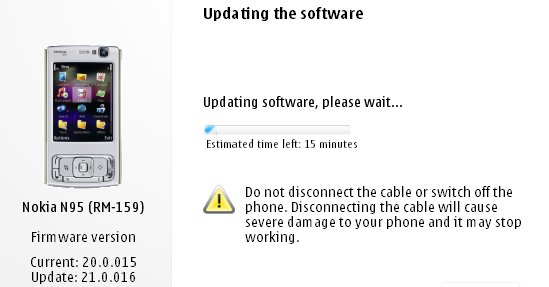
After much waiting it seems Nokia has at last given the Nokia N95 its Flash Lite 3/Web runtime firmware update. Ofcourse we alrady got the utility wares for seeing youtube videos through alternate updates, atleast it's Betterlate than never. It's nowhere near as huge an update as the v20 which introduced demand paging and transformed the performance of the device turning the lowly N95 into as powerfull a machine as the N95 8GB especially with the 16 GB microSD that has since been released. The v21.0.016 is still a major firmware and well worth installing, but i wouldn't recommend it if you are fed up of the Backup&Restore formality.

What's new for v21.0.016 (over and above v20 firmware):

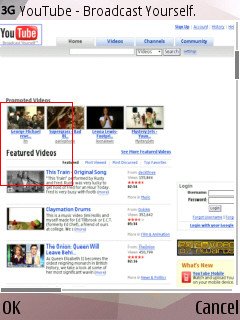
  • Flash Lite 3 is included, so Flash video sites will work, including YouTube (just as on the N95 8GB v15 firmware from a couple of months ago)
  • The Web runtime is included, meaning that standalone widgets are now possible
  • Greater Bluetooth headset compatibility
  • Better handling of entering lots of text into web page dialogs
  • Speedier Gallery in every way
  • Faster Java runtime, so Java apps start faster
  • plus the usual miscellaneous bug fixes and tweaks, no doubt!

Ofcourse they still haven't included the full app of the NGage service, so I guess we ain't going to see it in the near future(even though release had been slated for X'mas '07).

More details and screens at
AllAboutSymbian.

Saturday, March 22, 2008

S60 3rd Edition FP2?!!

The s60 3rd Feature Pack 2 seems to be the next best OS available for SmartPhones of the like of the Nokia NSeries - that is phones that are packed with multiple processors, stand alone graphic processors and huge amounts of RAM (128 in the case of the N95-2). With Feature Pack 2 you get features in your phone that were until recently available only through expensive 3rd Party software. Moreover it increases the User Interface of the phone making it more efficient and usable.

First of all, with FP2, the MultiTasking ability of the phone has been more concentrated upon which I believe will make it more competitive against other mobile OS and also bridging the gap between SmartPhone and Computer(which Nokia seems to love doing..remember "This is what Computers have become!"). From FP2 onwards the Multi Tasking Menu can be activated from the options menu as well. Before, this was possible only by an extended press on the menu button.

More intuitive UI has been another priority ofS60 3rd Edition Feature Pack with the addition of a labeled middle softkey, for more work with less clicks. Another UI update is the Active Idle Toolbar, which now also has a option for being Vertically placed. This results in better screen space utilization for the active app.

The Messaging application is much more smarter than before. You just select create a message and bearer
(SMS,MMS,Email) is selected automatically. If the final message has only text, it's SMS. If there are other media components included to message, such as pictures or video, message type is MMS. Small, but it's nice.

Functions that until now were available only through 3rd Party Software which have been built-in into the OS now are as follows:

  1. There is RSS/Atom feed support so selected news feed can scroll on the bottom of the idle screen. This is similar to the Nokia Gallery's scroller.
  2. FSCaller's full screen caller image has now been included as a built-in feature. This makes caller identification easier. Besides it looks cooler!
  3. Personal pictures can be used to personalize your theme. There is a neat slideshow screensaver.,which allows you to select your favorite pics from the gallery. Also the wallpaper has similar slideshow functionality. I don't remember the name of the app that used to support this.
  4. Users of S60 are very aware of BestProfiles in which you can set time limits and alarms for your profiles to change. This also has been embedded into FP2, you can set a timer for profiles, so the phone for silent for one hour and then it goes back to general profile automatically. Very use full.
  5. Web Browsers are the most used application in S60, as browsing is extremely popular and everyone loves to download media files. Currently if you download a music or video file, you have to wait until file is completely downloaded and only then can you open and play it. FP2 supports progressive downloading from browser which allows for instant playback during downloading. Sort of like streaming links. I've never seen these features, especially the streaming download, in a SmartPhone app before! It's more like it was brought from the DAP software for Windows!!
  6. As if that wasn't enough Downloading function has also other improvements. When for example a mp3 is downloaded, you'll get a "Save as" option so it's easy to set it as ringing tone. And if it's a picture download you can set it as wallpaper straight away. Cool eH? :)
All these features make for a great mobile computing experience, I only hope they bundle in a high capacity battery along as well - high power apps such as these will have little mileage when it comes to battery consumption!

Tuesday, March 11, 2008

N95 gets a better slider upgrade

As I've posted over here before, I have been a victim of the dumb N95 slider from the time I'd bought it, and even though I'd sent it in to Nokia numerous times, they still couldn't find a cure for it. But last week after I'd sent it in, they were finally able to set it right and now i have an almost perfect rock-solid slider. And as shown above the slider mechanism sure is new! If they'd done this earlier there would lots more happy N95ers out here..
Photo from SymbianWorld.

N78 User Manual


It seems that the User Manual for the N78 has already arrived ahead of the phone's release. Incase any of you would be N78ers wanna check out the manual and get a sneak peek of the experience that the N78 packs download the manual now - it's in English!

Friday, March 7, 2008

Mining for lost SMS messages?

If you by chance happened to delete your messages, and feel like reading them again, then here's what Kishore from mynokiamobile.blogspot.com says you gotta do:

To do this you need to have FExplorer on your Nokia Phone. (or click on the link)

  1. Open FExplorer.
  2. Select drive C: or D: depending on the memory in which the SMS messages have been saved.
  3. In my case I selected C: , Then open "system" folder. Then in the "system" folder open "mail" folder. Then in this folder u will see different folders (eg 0010001_s) and certain files (eg 00100000). These files are the actually messages.
  4. Browse through each folder and chack for the file till u get the one that you are looking for.( a very tiring process..Zzzzzzzzzz)
  5. For opening the files don't choose options>file>open as it will show format not supported rather choose options>file>hex/text viewer. By selecting the "Hex/ text viewer" you ll be able to open and read the deleted SMS message.
Have a great time mining though your collections! ;)

Saturday, February 23, 2008

Internet Radio v1.2


Listen to the world through internet radio. Explore the universe of mobile Internet radio. Browse hundreds of stations and find your favorite show. Listen to music and news from all over the world. Choose from a large variety of stations and shows, including news, sporting events and music. Browse for your favorite radio programs by genre, language, or country, or search by station name. Explore the most popular stations and stay in touch with the mobile Internet radio community. Nokia Internet Radio service is supported by both packet data and WLAN connections. Enhance your mobile device and your life with Nokia Internet Radio (Beta). Download and use the Nokia Internet Radio Player (Beta) application for free* and get started with music and news broadcasts. The following tips may be useful as you start using the Nokia Internet Radio Player (Beta). To best enjoy high-quality content, we recommend using the Nokia Internet Radio Player (Beta) with a WLAN access point. If you already know the name of a specific station, you can easily find that name using the "Search" option. Use "Station Directory" to discover new Internet radio stations, by choosing your favorite genre, country or language. Use the "Top stations" menu to find the most popular choices of other Nokia Internet Radio (Beta) users (Station Directory > Top stations). Use the "Settings" menu to configure the default Internet access point and the audio quality available for different data bearers (Options > Settings). Use "Help" to get extra instructions from the application main page (Options > Help). Setup of WLAN is not managed through the Nokia Internet Radio Player. Refer to your Nseries device user guide for instructions to set up WLAN access points. Supported devices: Nokia 6110 Navigator, N73, N75, N76, N77, N82, N91, N91 8GB, N93i, N95 and N95 8GB.

Friday, February 22, 2008

Expenses 2.0


SymbianGuru has updated its expense tracking software and released Expenses 2.0. The update has following new features implemented:-
Now application is password protected, and secures your expenses from unauthorised access

- The font and colour of the on screen reports became customizable
- User now can create own expenses categories, for sorting the expenses according to the needs
- Bug with big numbers import was fixed

Expenses for Series 60.3 organizes private and business expenses in quick and easy way. Comprehensible interface, quick but password protected access to
all expenses make Expenses to beloved tool for budget optimization.

Expenses 2.0 for Series 60 3rd edition track all kinds of expenses, create customized on-screen reports and export expenses records into CSV format for
MS Excel.

Expenses for Series 60.3 save your time and save your money, optimizing your budget. It is unbearable tool for home and business finance.

Key Features of Expenses 2.0 include:

1. Customizable list view of all your expenses, also with the personal notes
2. Secure password protection
3. Application options lets user personalize the main page view, report view, all used expenses types, currencies and payment methods
4. When recording a new expense, the most used expenses types will come first in the list to avoid much scrolling
5. Unlimited number of expenses categories can be created for keeping separately different expenses types
6. User can make a personal note to every expense
7. User can get the total of all expenses just with one click
8. Report on screen can be made, with custom data chosen for the certain period and fully customizable report view
9. Easy export MS Excel (universal CSV format)

Monday, February 18, 2008

Why Nokia? Why do you do this??

The N95 is indeed a great camera-phone. It has loads of great
features, 5MP sensor, 30fps video recording, auto-focus camera,
Carl-Zeiss lens, great color recreation, and a whole load of
customization features.

What it lacks is a Video Editor.

I know, I know, it does have one. But have you ever been able to use
it for editing one of those 5MP videos of yours? If yes you'll have
ended up face to face with the now famous slogan of the N95 -[b]
Memory full! Close some programs and try again.
And it flashes up even if you do close all programs, with the video
editor being the only open app. Neat little joke by Nokia huh? But i
think it sucks!
Why did they put in the video editor anyway?? I never understood why they did that..

Ah..and I think Nokia heard my complaints and responded to it
too..albeit in a sad kinda way.


It happened when they brought tout the N95 8GB. A phone that boasts of
128MB RAM, something that we'd begun to see only in computers from
2001. With that kind of RAM I would have been happy editing videos to
glory on my phone. But of course Nokia, by some strike of genius
didn't even include the feature in the handset. Now don't ask me why!
Why they did it, I believe, is, and will remain, a mystery for ages to come.


Update!


Now they plan to bring out the Nokia N96!

Even though Nseries stands for NextGen handsets the only nextGen the N96 packs is a different look - the features are more less the same as in the N95. You only get an extra 16GB of onboard memory and a dual LED flash, which isn'nt that bad., but it ain't worth the money no matter what anyone says!

The Pundit Report

Search Me