Showing posts with label disadvantages on mobile phones. Show all posts

Saturday, December 20, 2008

XPLOiT Your Nokia !

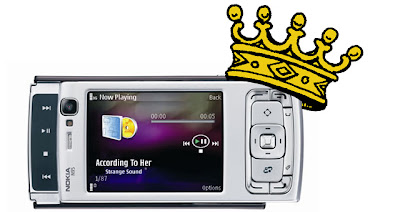
Here is some information that will help you find some cool information on your Nokia phone...The N95 has lots to pimp it, from the 5 megapixel do-it-all camera and VGA video capture at 30fps to the built-in GPS, stereo speakers(with custom options) and standard 3.5mm audio out. There's also the very latest Symbian OS , with dedicated multimedia functionality thrown in by the bucketload( and a mugload of updates each month).Latest update even has A-GPS( read 'bout it HeRe ). That removes all the disadvantged from this phone!

A main thing every computer owner needs is a system task manager, fortunately there's one built in for the n95 multimedia computer but you can get more options with Fexplorer or any one of the other applications available in the web. You can get them from my Beef Up Ur N95 Post. The link is at the bottom of this page.


Downgrade the camera

Now, this is going to seem like heresy, but do you actually need a 5 megapixel camera? Each image will take up well over a megabyte on your memory card.Even the built-in resoloution chooser in the camera application says that you only need the 5mp for enlarged photos. For printing large photos or viewing on a TV, 3 mp images are absolutely fine - why waste precious space if you don't have to? You can lower the camera resolution by opening the camera application and customising it's settings. Don't leave the camera on unless you are using it, obvious but its better to open /close than leave open.


Faster photo takes
One problem of the N95 is the time of it's image camera . This is mainly because the default setting for 'Show captured image' is 'On'. Loading and decoding a megabyte plus of JPG does take a while - do yourself a favour - if you can live without display of what you've just snapped, turn this setting 'Off' and you'll be able to snap photos only three seconds apart, much quicker than the default!

Extending your Battery Life
First switch of your WLAN,you can always scan manually if needed, but it saves your battery life if you manually scan.
Next turn the connection mode from dual mode to GSm as we don't have any 3G cells in India. Searching for 3G consumes a great amount of power than you can imagine and switching it off will give a noticeable difference in battery life. To do this, go into 'Tools Settings Phone Network' and change 'Network mode' to 'GSM' this will stop the N95 hunting for 3G signals.
Watch what applications you leave running in the background - some games and Java applications are especially processor hungry, even when in the background.
When using the N95 as a navigator, with display and GPS both active, do yourself a favour and buy a Rs.420 12V charger, so that instead of draining the battery at light speed you'll be gaining extra charge.
Animated Screensavers, i don't see much point in having them running when your not there anyway, and u can save a bit of battery just selecting Date and time, To do this Tools / Settings / general / Personalisation / Themes / Power saver and select "Date and Time".
Reduce screen display times, To do this Tools / Settings / General / Personalisation / Display / Power saver time set to 1 minute (minimum)
Reduce Light time out To do this Tools / Settings / General / Personalisation / Display / light time out, Set to your preference.

The Alarm Feature

You can put up numerous alarms on the phone simultaneously, each of
which can be scheduled to ring-up on working days, week days -
practically whenever you feel like it. The previous Symbian versions
recquired certain 3rd party apps for these functions to be used -
really sad considering that we're talking about the so-called
smartphones here. The S60 3rd Edition phone also has another feature
worth noting: The alarm will wake you up even if the phone's been
switched off! What's more, it will even ask you whether it can switch
itself on now that you are awake so that it can continue to help you
around..such a helpfull dude huh? :)

Fast Disconnect

The GPRS connection can be hung up just as you disconnect regular
voice calls by pressing the Hang-Up button for 2 secs. Upon doing this
it will ask for a confirmation - it comes in handy when you're
entering areas wherein the data charges are skyhigh, or for any other
reason that you can think of.

If you guys have uncovered something else that you'd like other people
to know feel free to comment about it here.

Video Recording
Make sure you use a top-spec, high performance microSD card. At 28MB/min you're going to need it.
When filming with the n95 don't pan around too fast with the camera, as the camera may start to get dizzy eventhough the spec is rated at 30fps.

How to increase RAM
delete the application "search" from your mobile by highlighting the "search" icon and pressing the "c" key
also double check in the application manager and delete any remaining "search" related items.
if you want to you can reinstall the "search" application but this time reinstall to your memory card.
( i dunno how this particualr trick works, i think it's because it uses real-time search for the keywords,not sure though )

Increasing RAM on your browser
settings--->general--->personalization--->display--->change font size to small/normal
open ur web browser--->options--->settings--->page---font size(change to small/normal)

Stopping applications from closing
a lot of us cant seem to multitask....applications are closing automatically...what u need to do is open the app that takes up more RAM first...eg: open web browser before you open the music player - all two should work without closing.

Hidden running applications
in the background some apps continuously run....unknown to the user....best bet install handy taskman on your device (phone memory preferably) and u can close them if you want to.
Don't leave applications running by accident, check by holding down key, select the unwanted app. then from the options select exit.


N95 wobbly/loose slider FiX
Here is a very easy albeit risky guide explaining you how to fix your loose slider with a screwdriver and some cello tape. The solution has been found out by Volcom883 in his blog so all i can give you is a link to his blog from where you can learn this very valuable trick. I advice you to get your tools and shut up yourself with your N95 in a room(not bad eH?)away from all disturbances.
Be careful guys.. and remember that if you attempt this yourself then you can wave goodbye to Nokia's Limited Guarantee.
Any ways here it is..

Removing Themes
We've all had a certain situation recently when we tried to get rid of some rather dumb themes from our phones after realising that they weren't as nice as they were shown to be. This trick(by zach) is to enable you to delete those themes safely and neatly from your phone. You need to connect your phone in mass storage to ur sys or get ur micro-sd connected through the adapter. The complete details can be had over here over here. Even though Zach has used it for his N80i it should work the n95s too.
And in case you removed the wrong theme, you can get some of 'em back thru this trick.


BlueTooth
Turn bluetooth off , Its really easy to turn bluetooth On and Off, just use the preset voice command, just hold down top right key and say "bluetooth" when prompted repeat to turn off, to search for devices you will need to locate the application from the Menu. It's safer to keep your bluetooth of because it reduces chances of your N95 contracting viruses from other phones that may be near-by.

Always try to use the latest and best firmware and other applications with your phone as this will surely up it's performance.

..there's more to come...

Recommendation: Also check the BeeF iT! Section HeRe and The Tricks Section HeRe.

Friday, April 4, 2008

Sony Ericsson W980


Sony Ericsson just revealed the W980, the latest Walkman phone series that promises to get the most out of the music experience. Announced at the Mobile World Congress in Barcelona, Sony Ericsson's W980 Walkman phone keeps the same line as its predecessors and has been designed to satisfy even the most pretentious multimedia needs. The new Sony-Ericsson W980 mobile phone doesn’t really look like a mobile phone, thanks to what the company is calling the “Walkman on Top”. The controls and display of the Walkman is placed in the front of the mobile phone, so you don’t have to open the handset if you want to switch tracks or check out what’s playing(on top?!). The W980 also comes with 8GB of internal memory (not bad!), built-in stereo speakers, and an FM-transmitter, allowing users to share tunes through an FM or car stereo. Finally, unlike the crappy earphones that comes with the iPod, Sony-Ericsson threw in a Stereo Portable Handsfree HPM-77 headset for excellent sound and hands-free calling.There seems to be no disadvantages on this mobile phone! No word on pricing yet as you won’t be seeing the W980 till the third quarter of this year.

Looks like Nokia's going to be facing some real competition this time on with the W980..
With the sleek looks, and that awesome music playback, it's gonna be payback time for SE!

Read More on the W980

Wednesday, December 26, 2007

Coming soon..

Given over here are the most awaited phones among smartphone freaks as of now, and they include the sleek N81-like N96, the elegant E61, and Nokia’s WiMAX phone. The specs put up here may not be what actually does come out, but it will give you an idea of what to hope for. Assuming that they do come out.

1) Nokia N96

Nokia N96 is simply out of our imagination. This phone is specially designed with two keyboards.
The main features of the phone are
• It weighs only 115 grams
• It has 10 GB internal memory
• Has digital speakers
• Has 4 speakers
• 6 mega pixel camera with optic zoom
• Has 3.2 inch screen with 16 million colors
• Bluetooth, Wifi , infrared and USB 2.0
• FM Radio
• Phone is available in two colors
• GPS
• Touch screen
• MP3 and MP4

2) The second upcoming mobile is E61

This phone is a great gadget for communicating through email. The features of Nokia E61 are as follows
• better Email with one touch
• You can view and edit email with quick office and acrobat reader
• Its connectivity speed is very high( 3G)
• You can take the advantage of voice features as VoIP calling and conference calling
• It has 2 mega pixel camera

Nokia’s WiMAX phone in 2008

Nokia had revealed that it will launch WiMAX in 2008. Till now only North America and Europe had wireless Technologies on 3G and 3.5G. In supporting Intel wireless standard Nokia will Motorola and Samsung. Nokia did not mention any details about this product. But this cell phone is going to be very stunning. The only information about this product is that it comes in two styles i.e. mobile and fixed locations. This cell phone is going to be eye catching and outstanding.


Courtesy http://mobilemanic.co.uk

Tuesday, December 11, 2007

N82 vs N95-1 - Speed Test

All in all you can say, that both phones are pretty fast. Nevertheless the N82 is a little bit faster than the N95. It needs 3 seconds less to boot and also some seconds less to save a picture. However, it’s really mind-blowing when you compare the speed improvement of the new N95 firmware. Maybe the N82 becomes even faster with a new firmware, which I would welcome.

Read it here.

Awesome blog post. But WHICH one actually got a signal on the network first? Hmm.

Man I love this N82 more & more.The speed improvement is amazing with the updated firmware for the N95.But I’m sure that when N82 gets an update it will become even more faster.Nice job man :-)

Friday, November 9, 2007

N95 vs N95 8GB

I've just got my hands on a video that showcases the differences between the classic N95 and the newer meaner 8GB edition of the same. After watching this video you'll be able to say for sure whether you really need to go for the newer phone just now or whether to wait out for the next revouloutionary pone from Nokia..

Thursday, October 25, 2007

Why EDGE versus 3G matters less than you think - MWN 3

Havn't read the prequel to this sequel?? Read it ->here<-..


We've all read articles about why the iPhone won't sell because it doesn't boast the latest and greatest 3G technology, which can transmit data at 1.8, 3.6, 7.2, and in some places, 14.4 megabits per second. Instead, Apple chose to go with the more ubiquitous EDGE system, which tops out at 0.2 mbits per second here in the US, and presumably will do the same in the UK and Germany when the iPhone launches there next month.

But the question left unasked as been, "Does 3G really improve the user experience dramatically?" Most pundits would reply, "Well, of course Internet experiences improve with higher bandwidth. That's why the world went broadband." And if the pundit is having a bad day, they'll add "Duh.." Funny thing though. They're wrong. Bandwidth doesn't affect the mobile phone experience nearly as much as most people think. And in some cases, high bandwidth Internet is actually worse for the user than a low-bandwidth one.Guess there are disadvantages on surfing from a mobile phone! How can this be? Read on here to find out..

Saturday, October 6, 2007

N95 gets 6X LeNS !


Mobile phones with cameras are proving to be immensely useful for many purposes, mainly because they have the advantage of always being with you.

Sadly, the companies sell u phones with a 3.MPcam now and put-of the 7 MPfor next year, eventhough they could bring it out now if they wanted to. Accordingly, cameras with high quality optics are still rare and optical zoom lenses on cameras are even rarer.The N95 has a hi-res 5MP cam-but with no optical power while the n93i has the optical lens but powered by just a paltry 3.2MP sensor.

So if you’re one of those people who would like to have a 6X optical zoom on your mobile and would gladly pay big bucks for it, here’s one that will do the job for just US$19(excl. of shipping). It has a manual zoom and focus but as you can see from the images , it works very well, particularly at that price.


Shown here, is the kit and a N95 with the lens installed. For ordering you could visit their site HeRe. More personal reviews will be posted if i get to review the product.


Wednesday, October 3, 2007

95 vs 93i - The NSeries ShowDown!


N93i is a N-Gage 2 enabled and is great for gaming because of it's ergonomics (I mean the button orientation and build). As it is we know that the N93i is capable to run the major games like "Creatures of the Deep" and especially "One Who's Next", but we also know that One Who's Next require to use the both hands and it runs in landscape mode. So the N93i is the great multimedia comp for the N-gage 2 platform.

But unlike the N95, the N93i doesn't have:

1) Built in GPS Navigator
2) HSDPA support
3) 5 Megapixel camera

4) 3,5 mm jack
5) and a load of small features that the N95 has, like the FP1 for instance.

On the other hand we have the N95 which is a great multimedia computer as well. In terms of technology the N95 is way better and much more functional and smarter that N93/N93i, but the major problem with this device is its ergonomics. I mean the button orientation which makes it's difficult to play on. But it does have GPS and HSDPA and lots of other things.Personally if I think for myself I would buy the N95 hoping it will support the N-Gage 2 experience in full, by that I mean if it will run the One Who's Next game and other great upcoming games for N-gage 2 service in the Landscape mode. But I can't yet imagine how to play this games on N95, no actually I can but it will be hard with the number pad closed when I activate the landscape mode. Maybe I'll have to use a keyboard to play these games after connecting the phone to the TV. Then it'll be like a gaming console..Cool!! And guess what guys, i just got a message from Mobility Intl. that they'll be sending in one of their iGo Blueooth StowAway Keyboards for a test drive!! YeaH!!!

and did i tell you that the
N95 is based on the great OMAP 2420 chipset with PowerVR enavbled and it's capable to run 3D games just like that?? learn more about it here.
Right now I'm happy blending these two into my life using the best of both.. :D

Psst..vote in the poll on the left will ya?

Tuesday, August 14, 2007

MWN - Mobile Wrestling News


N95 vs iPhone
Hey, what i think is both these phones are for different segments. I mean the n95 is usually bought for it's features by people who understand computers and modding. People who have n95's usually mod and customise them heavily and have(2have) an indepth idea of softwares and computers. Also the styling is way off when compared to the iphone.


The i-phone on the other hand is aimed at the cool dudes out there. These people don't need a 5mp camera( cuz they're not photographers?) nor the gps(not going trekking!) nor the dual slide...which is a waste of time and very clumsy too - being full of bugs. And besides.. who needs a double slide when you have a super cool touch screen that even lets you pinch it!


But in the end i bought myself a n95 :P..

Why i bought it??..

There are 4 problems for the average iphone user, and they are:
1. Virtual keyboard, how fast can you write on this ? Teens and a lot of adults today are SMS maniacs.
2. You can't use it with one hand.
3. No 3G. "What's the point of a multi-media device that can't deliver rich content!"
4. Low camera resolution.

100 iPhones in a stack would be: 1160 mm tall
100 N95s in a stack would be 2100 mm tall

Clearly the iPhone fails to stack up to the N95.. ;)

Read the next instalment ->here<-..

Sunday, July 8, 2007

AntiVirus - security vs performance


Ain'tVirus...i mean it's an Antivirus ;)

Trend Micro Mobile Security v3.0:
The integrated solution provides automatic, real-time scanning to protect wireless devices against malicious code and viruses on the Web or hidden inside files in combination with a packet-filtering firewall.

As the number of data-centric mobile devices grows, industry analysts such as Gartner and Meta Group expect them to become an attractive target for virus writers. Mobile Security provides protection against emerging threats via a compact yet sophisticated scan engine that helps detect and block malicious code.

NEW FEATURES:
This release of TMMS support for Symbian OS/S60 3rd Edition adds usability improvements as well as a firewall and intrusion detection to the previous releases of TMMS.
GETPROTECTED!


One of the drawbacks that i see from getting your hands on one of these is that they seriously slow down your phone, and in the case of the already tight strapped RAM of the n95 - it'll be Hell for the user !

Moreover there aren't many viruses around for the s60 v3 phones as yet, so you can just keep the sisx file on your phone incase of an emergency.

But the firewall and intusion detection are certainly things that we can't live without - especially in today's world of digital espionage and theft...cyber theives can ruin your life with touch of a button !! Scary isn't it?

Others to check out are:
NetQin Anti-Virus Pro v2.2.40
Jiangmin Antivirus [beta]

Or read about the
Folder.exe virus that seems to be affecting symbian phones!


SMS Spam Manager

WebGate SMS Spam Manager v1.01:No more unwanted messages and SMS Spam!

Advantage

SMS Spam Manager blocks the unwanted SMS messages without producing any sound or light indication.

Functionality

With SMS Spam Manager you can effectively filter all your incoming SMS messages.

There are 6 different types of filters to block unwanted SMS. You have the freedom to choose whether to reject all incoming messages or to accept messages only from people listed in your phonebook. You can also choose to block incoming SMS messages from a defined phone number, from a defined prefix number and even messages that contain a defined phrase.

With SMS Spam Manager you can tune your phone with 4 different modes and choose among 6 different filters to block junk and unwanted SMS messages:

Accept all (inactive) - the phone will accept all incoming SMS messages.
Block all - the phone will block all incoming SMS messages.
Accept phonebook only - the phone will accept incoming SMS messages only from people listed in your phonebook.
Block from black list rules - the phone will block the incoming SMS messages, which meet at least one of the rules listed below.
Block from black list rules option allows you to filter and block incoming SMS messages in three different ways, choosing one of the three black list rules:

Telephone number - all messages coming from a defined phone number will be blocked.
Prefix number - all messages coming from a defined prefix number will be blocked.
Text match - all messages that contain a defined phrase will be blocked.
You can check all blocked messages anytime, as they are kept in "Blocked SMS log" and restore them into your SMS Inbox if needed. You can also easily check the number of messages rejected and accepted since SMS Spam Manager has been started.
DOWNLOAD

The Pundit Report

Search Me