Showing posts with label freeware. Show all posts

Saturday, December 20, 2008

XPLOiT Your Nokia !

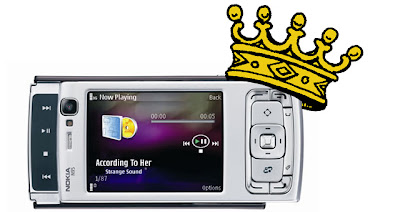
Here is some information that will help you find some cool information on your Nokia phone...The N95 has lots to pimp it, from the 5 megapixel do-it-all camera and VGA video capture at 30fps to the built-in GPS, stereo speakers(with custom options) and standard 3.5mm audio out. There's also the very latest Symbian OS , with dedicated multimedia functionality thrown in by the bucketload( and a mugload of updates each month).Latest update even has A-GPS( read 'bout it HeRe ). That removes all the disadvantged from this phone!

A main thing every computer owner needs is a system task manager, fortunately there's one built in for the n95 multimedia computer but you can get more options with Fexplorer or any one of the other applications available in the web. You can get them from my Beef Up Ur N95 Post. The link is at the bottom of this page.


Downgrade the camera

Now, this is going to seem like heresy, but do you actually need a 5 megapixel camera? Each image will take up well over a megabyte on your memory card.Even the built-in resoloution chooser in the camera application says that you only need the 5mp for enlarged photos. For printing large photos or viewing on a TV, 3 mp images are absolutely fine - why waste precious space if you don't have to? You can lower the camera resolution by opening the camera application and customising it's settings. Don't leave the camera on unless you are using it, obvious but its better to open /close than leave open.


Faster photo takes
One problem of the N95 is the time of it's image camera . This is mainly because the default setting for 'Show captured image' is 'On'. Loading and decoding a megabyte plus of JPG does take a while - do yourself a favour - if you can live without display of what you've just snapped, turn this setting 'Off' and you'll be able to snap photos only three seconds apart, much quicker than the default!

Extending your Battery Life
First switch of your WLAN,you can always scan manually if needed, but it saves your battery life if you manually scan.
Next turn the connection mode from dual mode to GSm as we don't have any 3G cells in India. Searching for 3G consumes a great amount of power than you can imagine and switching it off will give a noticeable difference in battery life. To do this, go into 'Tools Settings Phone Network' and change 'Network mode' to 'GSM' this will stop the N95 hunting for 3G signals.
Watch what applications you leave running in the background - some games and Java applications are especially processor hungry, even when in the background.
When using the N95 as a navigator, with display and GPS both active, do yourself a favour and buy a Rs.420 12V charger, so that instead of draining the battery at light speed you'll be gaining extra charge.
Animated Screensavers, i don't see much point in having them running when your not there anyway, and u can save a bit of battery just selecting Date and time, To do this Tools / Settings / general / Personalisation / Themes / Power saver and select "Date and Time".
Reduce screen display times, To do this Tools / Settings / General / Personalisation / Display / Power saver time set to 1 minute (minimum)
Reduce Light time out To do this Tools / Settings / General / Personalisation / Display / light time out, Set to your preference.

The Alarm Feature

You can put up numerous alarms on the phone simultaneously, each of
which can be scheduled to ring-up on working days, week days -
practically whenever you feel like it. The previous Symbian versions
recquired certain 3rd party apps for these functions to be used -
really sad considering that we're talking about the so-called
smartphones here. The S60 3rd Edition phone also has another feature
worth noting: The alarm will wake you up even if the phone's been
switched off! What's more, it will even ask you whether it can switch
itself on now that you are awake so that it can continue to help you
around..such a helpfull dude huh? :)

Fast Disconnect

The GPRS connection can be hung up just as you disconnect regular
voice calls by pressing the Hang-Up button for 2 secs. Upon doing this
it will ask for a confirmation - it comes in handy when you're
entering areas wherein the data charges are skyhigh, or for any other
reason that you can think of.

If you guys have uncovered something else that you'd like other people
to know feel free to comment about it here.

Video Recording
Make sure you use a top-spec, high performance microSD card. At 28MB/min you're going to need it.
When filming with the n95 don't pan around too fast with the camera, as the camera may start to get dizzy eventhough the spec is rated at 30fps.

How to increase RAM
delete the application "search" from your mobile by highlighting the "search" icon and pressing the "c" key
also double check in the application manager and delete any remaining "search" related items.
if you want to you can reinstall the "search" application but this time reinstall to your memory card.
( i dunno how this particualr trick works, i think it's because it uses real-time search for the keywords,not sure though )

Increasing RAM on your browser
settings--->general--->personalization--->display--->change font size to small/normal
open ur web browser--->options--->settings--->page---font size(change to small/normal)

Stopping applications from closing
a lot of us cant seem to multitask....applications are closing automatically...what u need to do is open the app that takes up more RAM first...eg: open web browser before you open the music player - all two should work without closing.

Hidden running applications
in the background some apps continuously run....unknown to the user....best bet install handy taskman on your device (phone memory preferably) and u can close them if you want to.
Don't leave applications running by accident, check by holding down key, select the unwanted app. then from the options select exit.


N95 wobbly/loose slider FiX
Here is a very easy albeit risky guide explaining you how to fix your loose slider with a screwdriver and some cello tape. The solution has been found out by Volcom883 in his blog so all i can give you is a link to his blog from where you can learn this very valuable trick. I advice you to get your tools and shut up yourself with your N95 in a room(not bad eH?)away from all disturbances.
Be careful guys.. and remember that if you attempt this yourself then you can wave goodbye to Nokia's Limited Guarantee.
Any ways here it is..

Removing Themes
We've all had a certain situation recently when we tried to get rid of some rather dumb themes from our phones after realising that they weren't as nice as they were shown to be. This trick(by zach) is to enable you to delete those themes safely and neatly from your phone. You need to connect your phone in mass storage to ur sys or get ur micro-sd connected through the adapter. The complete details can be had over here over here. Even though Zach has used it for his N80i it should work the n95s too.
And in case you removed the wrong theme, you can get some of 'em back thru this trick.


BlueTooth
Turn bluetooth off , Its really easy to turn bluetooth On and Off, just use the preset voice command, just hold down top right key and say "bluetooth" when prompted repeat to turn off, to search for devices you will need to locate the application from the Menu. It's safer to keep your bluetooth of because it reduces chances of your N95 contracting viruses from other phones that may be near-by.

Always try to use the latest and best firmware and other applications with your phone as this will surely up it's performance.

..there's more to come...

Recommendation: Also check the BeeF iT! Section HeRe and The Tricks Section HeRe.

Wednesday, October 8, 2008

Did u Know?? i sure didn't..

The guys at Yeigo’s blog has rounded-up ten nice 'lil things that you didn’t know about Nokia (neither did i until i read this). The last one is sure to touch a chord for nature lovers..
1) The ringtone “Nokia tune” is actually based on a 19th century guitar work named “Gran Vals” by Spanish musician Francisco Tárrega. The Nokia Tune was originally named “Grande Valse” on Nokia phones but was changed to “Nokia Tune” around 1998 when it became so well known that people referred to it as the “Nokia Tune.”
2) The world’s first commercial GSM call was made in 1991 in Helsinki over a Nokia-supplied network, by Prime Minister of Finland Harri Holkeri, using a Nokia phone.
3) Nokia is currently the world’s largest digital camera manufacturer, as the sales of its camera-equipped mobile phones have exceeded those of any conventional camera manufacturer.
4) The “Special” tone available to users of Nokia phones when receiving SMS (text messages) is actually Morse code for “SMS”. Similarly, the “Ascending” SMS tone is Morse code for “Connecting People,” Nokia’s slogan. The “Standard” SMS tone is Morse code for “M” (Message).
5) The Nokia corporate font (typeface) is the AgfaMonotype Nokia Sans font, originally designed by Eric Spiekermann. Its mobile phone User’s Guides Nokia mostly used the Agfa Rotis Sans font.
6) In Asia, the digit 4 never appears in any Nokia handset model number, because 4 is considered unlucky in many parts of Southeast/East Asia.
7) Nokia was listed as the 20th most admirable company worldwide in Fortune’s list of 2006 (1st in network communications, 4th non-US company).
8. Unlike other modern day handsets, Nokia phones do not automatically start the call timer when the call is connected, but start it when the call is initiated. (Except for Series 60 based handsets like the Nokia 6600)
9) Nokia is sometimes called aikon (Nokia backwards) by non-Nokia mobile phone users and by mobile software developers, because “aikon” is used in various SDK software packages, including Nokia’s own Symbian S60 SDK.
10) The name of the town of Nokia originated from the river which flowed through the town. The river itself, Nokianvirta, was named after the old Finnish word originally meaning sable, later pine marten. A species of this small, black-furred predatory animal was once found in the region, but it is now extinct.
11) They also used to be a Rubber Boot manufacturer before they entered the wireless phone buisiness! Chek dis!! Courtesy Neon.
You know what? When i read things like this about a company it makes me see the company in a more humane perspective. It changed my view of the company to something that we can all associate with.. well sort of...

Tuesday, May 20, 2008

PanoMan 3.0


PanoMan 3.0 comes in landscape mode with a preview area on the screen displaying the panoramic image captured so far as well as a small info area showing the frame resolution and the number of frames captured/available.

Due to the improvements made in heap consumption, you can capture up to 12 frames within one session, creating eye-popping up to 360° images with up to 32 Megapixel (on e.g. N95 8GB; maximum resolution on other devices might be actually lower).

Download!

Saturday, February 2, 2008

My Portfolio for s60-3 released: get your Google Finance data to your mobile!


SymbianGuru released the new Freeware business solution My Portfolio for Series 60-3 mobile phones. My Portfolio updates Google Finance courses information directly from your Google Finance account to your mobile. You have only to enter correct login and password for Google Finance and have Google Finance account active.

My Portfolio is a free Series 60 v3 finances application that updates your Google Finance portfolio in the real time on your mobile. You get the most needed information from your own portfolio displayed, such as: company name; symbol, last price and percent change.

All other data about your portfolio units is also available, exactly as you can get it online.

There is an auto refresh option available: My Portfolio will be automatically refreshed with the updated data every set period of time. Please note: the auto refresh function will work only if the My Portfolio application is open.

You can also get the history of every unit in your portfolio, based on time period defined by you.

My Portfolio key features:
- Easy setup and login

- Detail view of all stocks

- Auto-refresh function
- History for a certain stock can be requested

- Help feature implemented
- Totally freeware!


My Portfolio is freeware, users who like it are asked to donate at www.symbianguru.com

Sunday, January 13, 2008

Major Firmware update for N73 ME


Symbian-Freak has discovered yet another new Nokia N73 Music Edition firmware,the version: 3.0705.1.0.31. And as usual, no change log has been found as of yet.

It seems as though it's more stable and a tad quicker than previous builds, but I'm still skeptical. However, I'm very tempted to go ahead and complete the package. I'll update if we have a changelog or anything pop up. In the mean time I plan to install the firmware on my friends N73 Me and see how it turns out ;)

Monday, January 7, 2008

N95 8 GB onto firmware V15.0.015

A lot of new changes have been announced with the arrival of the New firmware for the N95 8 GB he v15. A list of the slew of features that have been spotted on the new firmware as well as the bugs that have been "Quashed under the hood!" as Steve and Rafe from AAS say, well it's all here. Just move onto their page and checkt things out!
CLiCk HeRe!

Saturday, December 29, 2007

Nokia Beta Lab's Conversation


Overview

Conversation is a messaging application that allows you to follow your conversations, organized by individual contact. In addition, the application provides an easy way to reply to messages, and continue the conversations.

After installation, the application will appear in your device as an application shortcut, and as a new tab in your Contacts application.

Installation instructions
Your have to install two separate files in the order specified below. Also, we recommend that you use the latest software available for your device.


  1. Install Nokia Internet Services Support Package to the device memory (not to the memory card). Note! If you have Gizmo or Windows Live already installed, you don't need to install this support package.Download (SIS, 730 KB)
  2. Install the compatible version of Conversation application HeRe.
Have a great time with your conversations! ;)


Tuesday, December 25, 2007

NokMote in action!

Our beloved Samir, the creator of RotateMe is going to bring out yet another great app, and this one too is based on the newly found 3d accelerometer of the N95 and other similar smart phones running the S60 V3 platform. This app allows you to control your phone completely using shakes and turns. Really nice way to get things done when your alone, but in public, people may laugh at you.. ;)

It's called the NokMote..(rolling drums)...


http://www.bysamir.fr
http://www.forummobiles.com

Friday, December 21, 2007

Nokia N96??!

Symbian Freak has got it's hands on a load of pics of the N96 that's been leaked into their inbox, but they don't seem to be too happy with the phone. One of the reasons touted being that it has a crappy LED flash - but there are 2 crappy LED flashes actually, so I think I wouldn't mind that ;) Anyways the handset does look cool in a N81 kinda way,.. Honestly I don't think it's good enough to be with the N9* series - it belongs with the N8*. Wonder who takes care of naming these sets over at Nokia..?

Another speciality of this set is that it runs on Series60 3rd Edition FP2 - now that's more than good enough reason to go for this phone I'm sure. I'll be posting a review about the FP2 OS soon..watch this space for a link!
Read more about the N96 here.

Courtesy Symbian-freak.

Thursday, December 20, 2007

Getting the low down on my N95

Only recently did i realize how much more i had to learn about my precious little Multimedia Computer Phone that the N95 is.. but simply googling for it didn't bring out any more than the usual" N95 for 250$" offers and a slew of free ware apps and review pages. Which is when i remembered my old pal - Wikipedia. I usually only go there for getting info on projects and seminars that i'd wanted to do for college, so i thought why not? Wikipedia must have got something interesting to say about my phone,, and so i clicked on Go in the Wikipedia HomePage. Go ahead click on it to see what I saw! They've got everything over there from the A-GPS details to the acceleromoter - even the technical specs are given clearly in the Specification sheet!

Monday, December 17, 2007

rotateMe v2.0 Beta 5 released

Samir is going to publish the rotateMe v2.0 Beta 5 for the public due to the humungous amounts of e-mails that he recieved recquesting him to do so.

There are lors of new features in this Version of his great app which includes(at last!) a feature to hide the app from the task manager. Move over here to get more info and click here to get the app! Remember though that the app is unsigned, you'll have to sign it yourself.

Nokias little game..


Nokia has published a little game in which you are in room and have to get to a secret meeting. Inorder to win the game you'll have to find certain things that are hidden in the room along with (obviously) an N95. Move on to this page inorder to play the game..May your N95 be with You! And if you do win, tell me how you got the Key to the Suitcase willya! ;)

Saturday, December 15, 2007

Your very own personal translator-N95


Our great N95, the phone that had almost all the features that you'd wish to have on a smartphone, has just got better by adding yet another feature - and this one beats them all! This is the deal - Nokia has come up with a prototype camera phone application which, among other things, will reportedly make ordering dinner from your favourite foreign restaurant easier.
Named Point & Find, the app incorporates numerous elements such as image recognition, GPS positioning and artificial intelligence algorithms to find out what you clicked! . Bear in mind though, that the actual working out of what image you may have snapped will be done on your network provider’s server because AI and Image Recognition recquires some serious processing power. This is not to say that the N95 is low on this! Once you have taken your photo the phone will connect to the net and hopes are it will provide the user with a selection of online purchase options, or in the case of say a movie image it will show movie reviews, or whatever it can find up on the net.
Yet there’s more, Nokia have hopes of designing the concept to include the translation of foreign restaurant menus as well, so if you visit say a French cuisine restaurant where the menu is in French, just whip you mobile out, snap a picture of the menu and get it translated right there on your mobile screen. Apparently Nokia claims the prototype application is presently able to scan and translate 600 Japanese and 9000 Chinese words, still a bit of a way to go then before they cover all the bases, but Hey! It's still a great start!
Courtesy PhonesReview.

Wednesday, December 12, 2007

Nokia Energy Profiler


Fed up with those battery drinking programs that you've installed lately? Well why don't you un-install them then? Or is it that you can't find which apps are good on mileage and which are not? Fear no more, with the Nokia Energy Profiler you'll be able to get the battery drain for a particular app in real time! Ofcourse it's of particular use to developers, but there's nothign in it that say we can't use it.

With the help of a Red dot and graph, it will show exactly hoe the app used up your battery.. neat eH?

Read Here.

Thursday, December 6, 2007

Squeezing 30 into 8

Fed up with your commute? It's such a waste of time isn't it? Simply sitting in the subway or bus doing nothing else other than hear some music while the world whizzes by.. BUT fear no more! Bcause with just a few clicks you can turn your new N95 8GB or N95 with 8GB(microSD) into an awesome mobile movie theatre, packed with 30 of your favourite films at the best possible quality! Now there’ll always be something to watch, and the morning commute will fly by!

Make the most of the new N95‘s massive storage space and gorgeous screen by packing it full of films – it’s the best way to beat commuter hell with your Nokia!

Luckily for us, the guys at NokNok found out a waw to do just this..

Read the rest of this entry fom here.

Tuesday, November 20, 2007

V21 for our N95-1!?


It's not a 21 valve engine but for all I know the new V21 Firmware update for the N95-1 is sure gonna rock..considering that Nokia is going to have to add lots of new stuff in the firmware like the Search, N-Gage and a solution to sinister key press bug. Not to mention about On Demand Paging and other features designed to bump up the performance! You know what this means?no?? We're gonna get a N95-1 with more RAM people!!

But the problem is that the firmware pic has been dates as 10th October! How come no one's got it still remains a mystery...:(

There lingers a doubt in my mind however, on whether the Demand Paging feature will make the phone slower upon everyday use. The pagingfeature actually stores bits of software data on RAM.When these data are moved to the main memory there would be more of a lag when the phone fetches the data - which happens when we open a app or run a game. After all there must have been a reason why the original designers decided to place it on the system RAM instead of on the main memory. Oh well,, let's just cross our fingers and hope for the best.
Have you heard of the recent rumours doing the rounds? the one about the total free RAM increasing to a good 30mb. If that's true then I wouldn't give a **** whether the phone's faster or slower... 30MB of free RAM 8-)
If you’re an owner of the N95 classic, you just got more reasons to hold on to your device than I'd provided before. After the screenshots tipped up yesterday, today Symbian Freak has the juicy details regarding this magical firmware that is not only supposed to bring things like Demand Paging, the new Search app introduced on the N76 and new folders and application including the N-Gage app. If that wasn’t enough the device’s free RAM jumps from 18-20Mb to almost a whopping 30Mb! No word if the new multimedia menu has made its way into the old faithful, chances are it will.

The Update is OUT!! read it here

Saturday, October 6, 2007

N95 gets 6X LeNS !


Mobile phones with cameras are proving to be immensely useful for many purposes, mainly because they have the advantage of always being with you.

Sadly, the companies sell u phones with a 3.MPcam now and put-of the 7 MPfor next year, eventhough they could bring it out now if they wanted to. Accordingly, cameras with high quality optics are still rare and optical zoom lenses on cameras are even rarer.The N95 has a hi-res 5MP cam-but with no optical power while the n93i has the optical lens but powered by just a paltry 3.2MP sensor.

So if you’re one of those people who would like to have a 6X optical zoom on your mobile and would gladly pay big bucks for it, here’s one that will do the job for just US$19(excl. of shipping). It has a manual zoom and focus but as you can see from the images , it works very well, particularly at that price.


Shown here, is the kit and a N95 with the lens installed. For ordering you could visit their site HeRe. More personal reviews will be posted if i get to review the product.


Wednesday, October 3, 2007

Nokia Spices up the Nokia Video Center

Hye, it's more good news for us guys as Nokia teams up a host of companies such as Cnn,IBN,Jamba, Sony Pictures, Roof top comedy,ROK and others..givin us access to videos on the Go! Provided you have a 3G connection ;)

This new feature will give us access to a load of videos from these companies with the single press of a button making life simpler for all of us. Now you'll be able to while away time just like that..but make sure yuor in range of a good 3g network k..!

Read the rest here.

Courtesy DailyMobile.

Thursday, September 20, 2007

Symbian Review

Every Symbian developer knows that the most of mobile applications for new Symbian devices have to go through the special certification, a Symbian Signing. For many small development companies this new initiative of Symbian has turned to a plaque and made the development of Symbian applications not interesting financially. Symbian market becomes to be dominated by companies, not single developers.

In this article we want to give some tips for Symbian application developers.

What does the Symbian Signing bring?

There are some benefits and some drawbacks as always.

Beneficial is this mobile software certification system first of all for the consumer. Buying the certified applications the consumer can be sure that there is a certification authority that has tested the application, so it can not crash the system or include viruses.
The main drawback is felt by the developers. They have pay more, wait unpredicted time for the certification and have to fill out many papers to pass the Symbian Signing.

Read the rest here.

Courtesy Symbian-review.

Sunday, September 2, 2007

New Version of Nokia Maps - v1.2

A new version of Nokia Maps is now available for the N95, in addition to a new version of the Nokia Map Loader. Unfortunately the Map Loader's working also recquires the installation of the .NET framework 3.0 on a Windows XP computer, don't ask me why..

You can get the updates here.

I recommend downloading both of them as having the latest version always has it's benefits.

THe new app is very different on my N95. Start-up splash screen shows Nokia Maps and there is the usual network question to click through (I have mine disabled).

The globe screen is also different, scrolling East/West and North/South now follows the long and lat axes and there is a three dot icon in the lower left that cycles red until a lock is achieved, when they all turn green. The cross-hair did NOT zoom in automatically to my GPS position either, so I had to do this manually with the * key and when I did this, none of my map data was available. SO i had to re-install all the maps... such a pain..

Which is when i found that there are new maps available for the new Nokia Maps..to download these this is what you've gotta do:

Method 1

1 - download and install Maps 1.2 to your phone BUT DON'T RUN IT YET.
2 - download and install Map Loader to your PC, connect your phone and run it.
3 - select the option to delete/remove the existing maps from your phone.
4 - Disconnect your phone and run the Maps program once allow it to get a fix and then exit Maps
5 - Reconnect your phone to Map Loader and download your maps, you should now get the latest maps.

Method 2

1 - download and install Maps 1.2 to your phone BUT DON'T RUN IT YET.
2 - download and install Map Loader to your PC, DON'T RUN IT
3 - connect your phone in mass storage mode and find the old maps folder, should be in E:/Private/20001f63 - Delete it
4 - Disconnect your phone and run the Maps program once allow it to get a fix and then exit Maps
5 - Reconnect your phone to Map Loader and download your maps, you should now get the latest maps.
In N95 the GPS receiver is located in the bottom of the device, below the numeric keyboard. When using the receiver, slide the numeric keypad open
and hold the device upright in your hand at an angle of about 45 degrees, with a clear view of the sky. Make sure, that your hand does not cover the GPS receiver.
Establishing a GPS connection may take from a couple of seconds to several minutes. Establishing a GPS connection in the car may take longer.

If your device cannot find the satellite signal, consider the following:
- If you are indoors, go outdoors to receive a better signal.
- If the numeric keypad slide is closed, open it.
- If you are outdoors, move to a more open space.
- Check that your hand does not cover the GPS receiver of your device.
- If the weather conditions are bad, in such a case the signal strength may also be affected.
- Establishing a GPS connection may take from a couple of seconds to several minutes.
- Avoid to use screen saver when GPS connection is establishing.


That's ol folks, have a great mapping time.. :)

The Pundit Report

Search Me